
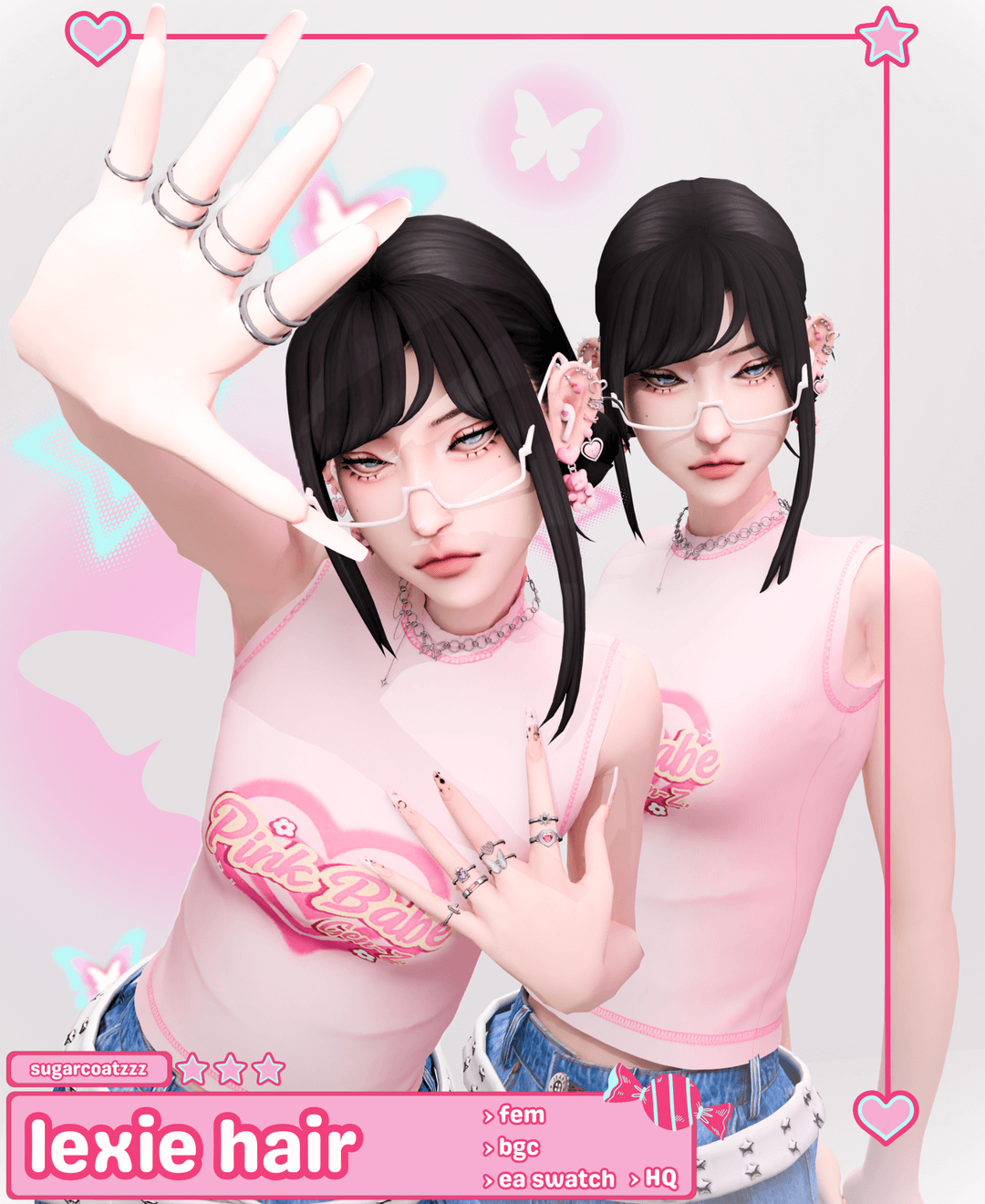
Modern bob haircuts that feature playful inward bevels and airy styling represent a staple of contemporary fashion in The Sims 4. The Lexie Hair delivers a fresh, youthful Maxis Match hairstyle showcasing a textured chin-length bob complete with soft face-framing fringe. Whether styling a trendy university student in Britechester or a busy professional starting their career in San Myshuno, this haircut provides effortless everyday sophistication.
Sculpted Bob Geometry and Feathered Fringe Architecture
The mesh craftsmanship on the Lexie Hair highlights clean clay hair geometry. The creator sculpted individual hair chunks with rounded bevels that catch diffuse sunlight naturally, avoiding the stiff plastic sheen that can detract from custom hair. The feathered front bangs rest gently across the forehead with organic separation, softening strong facial features and emphasizing character eye presets.
Vertex animation weighting ensures that the textured bob moves in harmony with character head tilts, laughter, and conversational expressions. The side strands curve gracefully inward toward the jawline without clipping into earrings or clothing collars. Dedicated Simmers looking to refresh their Maxis Match folders can visit Sims 4 Update to discover complementary clay hair accessories, skin overlays, and stylish casual outfits.
Lexie Hair Specifications and Swatches
- Textured Bob Cut: Chin-length curved bob featuring feathered bangs and delicate inward-sculpted jawline layers.
- Full EA Swatch Spectrum: Complete collection of standard 24 EA hair swatches, from bright platinums and warm chestnuts to pastel fantasy shades.
- Hat Compatibility: Includes carefully sculpted hat chops that fit naturally under beanies, berets, and baseball caps.
- Standalone Package: Independent package file requiring zero external mesh downloads or game pack dependencies.
Diffuse Lighting Fidelity and Color Vibrancy
Utilizing standard EA diffuse and normal shader standards, the Lexie Hair integrates seamlessly into the game’s lighting engine. Under bright outdoor sunshine in Sulani or cozy indoor lamps in Willow Creek, the colors preserve rich saturation without looking flat or washed out. The hairline texture aligns cleanly with default skin hairlines, ensuring no awkward gaps appear around the temples or ears.
Hat Morph Precision and Winter Wardrobe Layering
One of the strongest technical accomplishments of this haircut is how beautifully the mesh compresses under headwear. Rather than flattening the playful bangs into an unnatural plate, the custom hat morph preserves the soft wispy fringe along the forehead while tucking the crown naturally under knitted beanies, chic French berets, and baseball caps. This all-season flexibility ensures that your characters look effortlessly put-together across winter snowstorms and summer vacations.
The strands resting along the jawline also conform smoothly to bulky winter scarves and coat collars without clipping through, maintaining a tidy, charming silhouette during cold-weather outdoor family gameplay and holiday celebrations.
CAS Face Shape Pairing and Wardrobe Adaptability
The gentle inward curve of the chin-length strands flatters an extensive range of facial presets in Create-a-Sim. It softens angular square jawlines, balances elongated oval face structures, and accentuates delicate cheekbone sliders. Pair it with oversized knit sweaters and wire-rim glasses for a studious collegiate look, or style it with a sleek blazer and gold hoops for a chic corporate executive presence.
The creator prioritized optimization, ensuring balanced polygon counts and complete level of detail (LOD) hierarchies. This guarantees that your game maintains fluid frame rates even during crowded social gatherings and active community festivals.
To add this versatile and charming Maxis Match bob to your game, download the package directly from Patreon via the button below. Place the file inside your Sims 4 Mods directory, verify that custom content is enabled in your options menu, and enjoy styling chic contemporary looks with timeless bob elegance, effortless grace, and youthful optimism, refined salon-quality texture, and stunning visual definition across all four vibrant seasons.