Micro-Strand Rendering and Soft Arch Geometry
Vanilla eyebrows in The Sims 4 frequently suffer from harsh solid borders or blurry painted textures that can make Sims appear surprised, angry, or unnaturally severe. Creator babyhyun0506 solves this common aesthetic dilemma by utilizing feathered micro-strand texturing. Each individual hair stroke is drawn with fine tapered tips and gentle directional angling, replicating the appearance of authentic microbladed brows.
The arch geometry embraces the popular straight-soft arch trend celebrated across modern Asian beauty and K-pop aesthetics. Rather than displaying an aggressive peaked arch, the brow line flows horizontally across the brow bone with a gentle, downward-sloping tail. This delicate shape softens the upper face, creating a youthful, gentle, and approachable expression that looks stunning during live gameplay social dialogues and close-up CAS photography.
in addition, the density distribution is thoughtfully calibrated. The inner head of the brow features sparse, upright baby hairs that gradually build density toward the body and taper cleanly at the tail. This natural gradient prevents the blocky, drawn-on appearance that plagues many low-quality custom brow assets.
Twelve Natural Swatches and Palette Matching
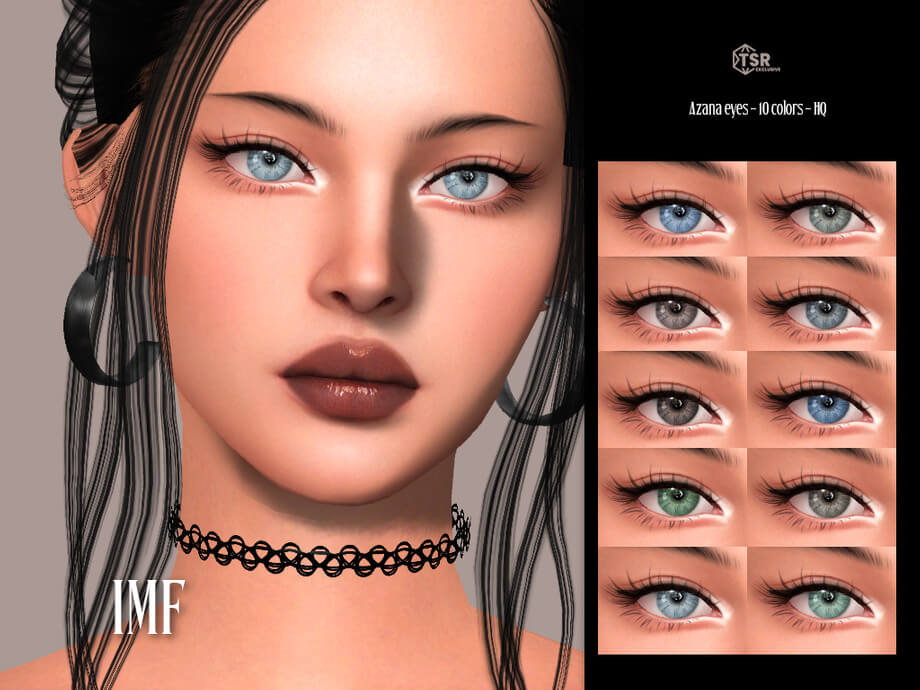
The pack supplies twelve versatile swatches focused entirely on realistic human hair color variations. Simmers will discover soft charcoal black, warm espresso, medium chocolate brown, chestnut, auburn red, golden honey, and ash blonde. Each swatch maintains authentic hair undertones that harmonize effortlessly with both EA default hairstyles and popular custom content clay-sculpted hairs.
Because the pigment formulation retains slight translucence rather than total opacity, your Sim's underlying skin undertone shines through the gaps between individual hair strokes. This soft integration prevents artificial haloing around the brow perimeter, allowing the makeup to look like genuine hair growing from the skin rather than a painted sticker.
The neutral undertones are especially flattering across diverse skin shades, providing consistent color temperature from porcelain pale to rich deep complexions without turning ashy or orange under intense sunlight.
Slider Integration and Skin Detail Layering
A crucial strength of the Babyhyun Eyebrow 01 is its full responsiveness to built-in Create-A-Sim makeup sliders. Players can freely manipulate the opacity, brightness, saturation, and hue to achieve the exact cosmetic intensity desired. Lowering the opacity slider slightly creates a feathery, barely-there no-makeup look ideal for morning sleepwear and casual teenage routines.
Conversely, sliding the opacity to full saturation delivers defined, filled-in brows perfect for high-fashion runway shows, formal galas, and dramatic evening makeovers. In our gameplay testing, the brows layered seamlessly over 3D eyelashes, eyelid creasers, custom skin overlays, and highlighter masks without producing texture conflicts or seam bleeding.
During live mode facial animations—such as smiling, laughing, questioning, or frowning—the texture tracks the facial rig smoothly. The brow geometry flexes naturally with eyebrow bones, ensuring your Sims remain expressive and photogenic throughout all emotional states.
Character Concepts and Styling Inspiration
Integrating these brows into character makeovers opens up exciting aesthetic directions. For clean-girl or soft-glam aesthetics, pair the brows with dewy skin overlays, tinted lip oil, and a sleek high ponytail for a fresh, effortless modern influencer vibe.
For historical or fantasy characters, the soft feathery texture provides believable realism that avoids looking overly modern or synthetic. In legacy family saves, using these brows across multiple generations helps establish cohesive facial genetics, making siblings and children share recognizable family traits.
in addition, because the item is properly tagged for female and male frames across Teen, Young Adult, Adult, and Elder categories, simmers have total freedom to style both male and female characters seeking natural, groomed brow definition.
Whether you are documenting generational legacy challenges, family gameplay storytelling, or high-fashion photoshoots, having accurate and realistic brow options elevates the emotional authenticity of your virtual world.
In addition, the lightweight file size and clean alpha rendering ensure that your game runs smoothly without memory bloat. Even during active conversational interactions and animated facial expressions, the brows maintain pristine clarity, proving themselves to be an essential everyday cosmetic staple for character creators and storytelling enthusiasts alike.
Their versatility across both casual and high-glamour aesthetics ensures that these brows will quickly become one of your most frequently used makeup assets in Create-A-Sim.
Download and Installation Guide
Installing the Babyhyun Eyebrow 01 into your game is very simple. Download the package file using the direct link button below. Place the downloaded .package file into your standard Sims 4 Mods directory (Documents/Electronic Arts/The Sims 4/Mods). Ensure that custom content is toggled on in your Game Options menu under the Other tab. Launch your game, enter Create-A-Sim, select the Eyebrows subcategory, and find the item clearly displayed with its custom thumbnail icon.
Frequently Asked Questions
Is the Babyhyun Eyebrow 01 base game compatible?
Yes, this eyebrow custom content requires only the base game of The Sims 4 and does not need any additional expansion packs or stuff packs to function.
Can male Sims wear these eyebrows?
Yes, by removing the gender fashion filter in Create-A-Sim, you can apply these eyebrows to male Sims for soft, natural, and groomed masculine brow styling.
Does it support the in-game makeup opacity slider?
Yes, the eyebrow asset fully supports the in-game opacity, hue, saturation, and brightness sliders, allowing you complete control over color intensity.