Modular Hair Innovation: The Accessory Bangs Concept
The Bangs Set Part 1 utilizes a clever community technique: mapping the 3D bang meshes to the head bone while categorizing them under the Bracelet accessory slot in Create-a-Sim. This ingenious approach means you can equip any base game or custom content hairstyle, and then seamlessly layer these bangs right over the forehead without replacing or overriding your primary hair item.
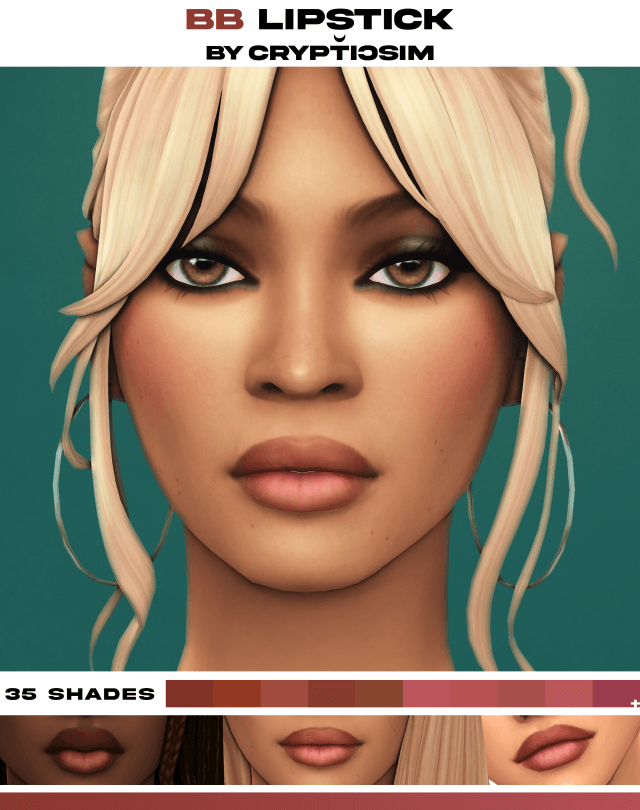
The mesh geometry in Part 1 focuses on the most popular community-requested fringe styles, selected through an enthusiastic community poll. Featuring soft feathered textures, micro-layering along the brow line, and natural root blending, each fringe option looks like an organic extension of your Sim's existing hair rather than a separate floating accessory piece.
Whether you want to add French-girl wispy fringe to an elegant updo in Tartosa, soften a severe ponytail on an athletic teen in Copperdale, or create trendy Y2K curtain bangs on long sleek hair in San Myshuno, this set provides instant transformation.
The depth positioning has been calibrated with extreme care to rest flush against the forehead without clipping into brows or floating unnaturally forward away from the brow bone.
The ambient occlusion and shadow mapping blend seamlessly with standard Maxis Match hair textures, creating believable shadow cast across the forehead and upper eye sockets.
Because the accessory slot is isolated to Bracelets, Sims can freely wear earrings, necklaces, glasses, hats, and makeup alongside their custom accessory bangs.
Universal 24 EA Colors and Perfect Texture Matching
To ensure flawless visual harmony when layered over your favorite hairstyles, the Bangs Set Part 1 includes all 24 official EA color swatches:
- Official Color Matching: Exact RGB values calibrated to match default game hair textures across all 24 natural, gray, and fantasy swatches.
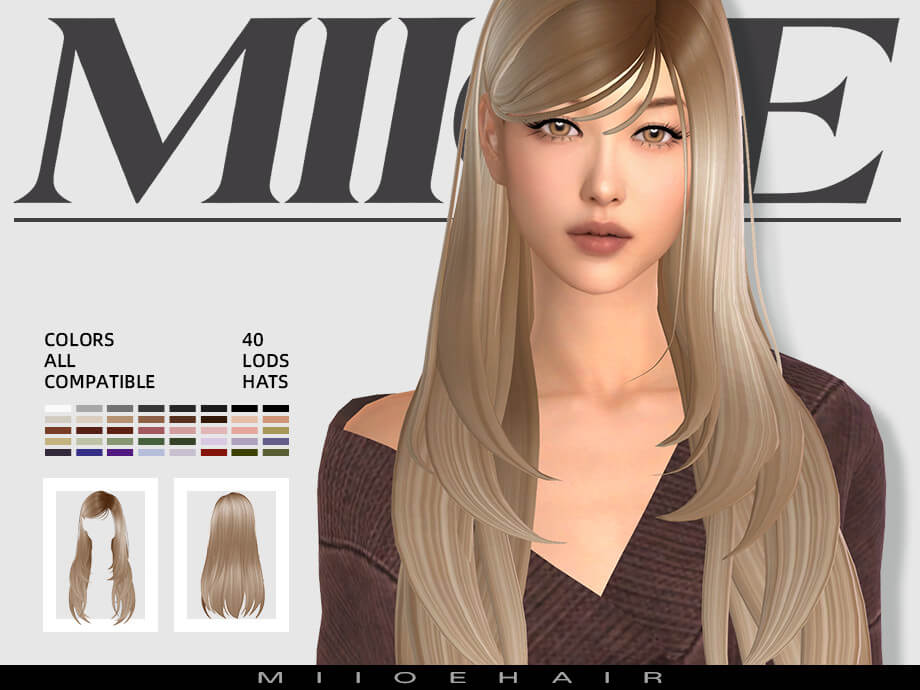
- Diverse Fringe Styles: Features feathered wisps, soft curtain bangs, classic straight bangs, and parted fringe variations.
- Full LOD Support: Fully authored LOD0 through LOD3 models ensure seamless visibility whether up close or zoomed far out.
- Custom CAS Thumbnails: Clear preview icons illustrate the exact bang silhouette for lightning-fast CAS styling.
- Part of a Trilogy: Fully compatible and designed to complement upcoming Part 2 and Part 3 expansions for even more fringe varieties.
The precision color matching eliminates annoying shade discrepancies, making the bangs and your primary hairstyle look like a single unified salon cut.
The swatches maintain rich saturation without washing out under harsh midday sunlight or glowing neon nightclub lighting, preserving exceptional visual fidelity.
The accessory is flagged for both feminine and masculine frames, opening up creative possibilities for alternative male hairstyles as well.
Storytelling and Virtual Makeover Photography
For custom content screenshot creators and Machinima directors, accessory bangs offer unmatched storytelling flexibility. You can show a character getting a spontaneous haircut in a college dorm, growing out their bangs over several life chapters, or styling their hair differently between work and evening parties without changing their core hairstyle.
Pair them with oversized reading glasses, vintage oversized cardigans, and pleated skirts to create the ultimate dark academia campus lookbook.
In legacy gameplay chronicles, adding bangs is the perfect visual marker to signal a Sim's personal reinvention after a breakup, career change, or milestone birthday.
Generations of Sims can experiment with different bang silhouettes across their childhood, teen, and young adult years, providing charming visual progression in family albums.
The bangs move in sync with the facial rig, flexing naturally with raised eyebrows, furrowed brows, and joyful smiling expressions without clipping into the skin.
Whether strolling through autumn rain in Brindleton Bay or attending glamorous dinner parties, your Sims will enjoy completely unique, bespoke hairstyles tailored to their individual personalities.
Technical Highlights and Quality Assurance
Engineered for seamless gameplay functionality and maximum compatibility:
- Base Game Compatible: Operates smoothly on any standard Sims 4 installation without requiring DLC expansions.
- CAS Category: Located under Bracelets in Create-a-Sim for effortless layering over any hairstyle.
- 24 EA Hair Colors: Fully calibrated to match official hair color swatches perfectly.
- Complete LOD Levels: Full LOD0 through LOD3 mesh levels eliminate visual tearing or popping at various camera distances.
- Custom CAS Thumbnails: Distinctive icons make identifying specific bang shapes effortless in Create-a-Sim.
Unleash total hairstyle creativity in your game today with the Bangs Set Part 1 and give every character a signature customized look.
Frequently Asked Questions
Where do I find the Bangs Set Part 1 in Create-a-Sim?
The bangs are located in the Bracelet accessory category in CAS, allowing you to wear them over any primary hairstyle.
Do the colors match official EA hairstyles?
Yes, all 24 swatches are calibrated to match the official EA color palette for seamless texture blending.
Can I wear these accessory bangs together with hats?
Yes, because they are categorized as accessories, they will remain on your Sim when wearing compatible hats and headwear.