
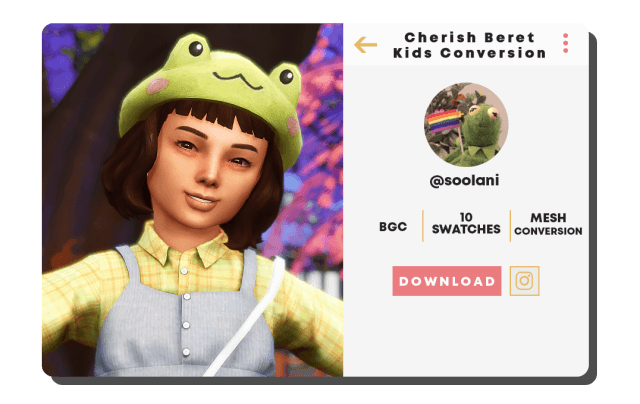
Chic headwear adds an irresistible dose of Parisian sophistication and storybook charm to younger Sims’ wardrobes in The Sims 4. The Trillyke Cherish Beret Kids Conversion CC Review: Sims 4 brings a beloved adult fashion accessory seamlessly into the child life stage. Featuring a beautifully sculpted wool-felt beret with an authentic slight tilt and delicate stem detail, this headpiece transforms everyday school outfits into refined boutique ensembles.
Classic French Beret Silhouette and Wool Felt Texturing
The standout achievement of the Cherish Beret conversion is its authentic tailoring and proportions. Rather than resting awkwardly like a flat pancake on a child’s head, the beret features a soft slouch to one side, capturing that iconic effortless Parisian silhouette. The wool-felt texture map conveys genuine woven warmth with subtle fabric fuzz that looks cozy under crisp autumn sunbeams.
Parents seeking fashionable accessories on sims 4 cc portals will appreciate how thoughtfully the inner brim is modeled. The band hugs the crown of the child’s head naturally, avoiding harsh geometric clipping with diverse custom and base game child hairstyles ranging from neat bobs to curly ponytails.
The delicate little stem at the center top of the beret adds a classic artisanal detail that completes the storybook charm from all vantage points. The soft brim curvature frames child cheeks and foreheads with heartwarming sweetness.
Charming Color Palette for Little Trendsetters
The Cherish Beret Kids Conversion comes equipped with an extensive color catalog suited for school uniforms, holiday celebrations, and everyday park outings:
- Classic Parisian chic neutrals including raven black, warm charcoal, oatmeal heather, and creamy vanilla ivory.
- Rich seasonal tones like deep cranberry red, mustard yellow, burnt orange, and forest pine green for autumn walks.
- Sweet nursery pastels such as baby blush pink, powder blue, soft mint, and lavender lilac for spring picnics.
- Collegiate academic tones including navy blue and dark burgundy that pair impeccably with pleated school uniforms.
- Playful printed swatches featuring subtle houndstooth and micro-plaid patterns for vintage storybook charm.
- Earthy neutrals like warm taupe and chocolate brown for cozy winter coat layering.
- Bright festive swatches in holly berry red and emerald green for cheerful winter holiday portraits.
- Soft apricot and peach tones that brighten casual playground outfits.
- Heathered oatmeal variations that evoke handcrafted woolen boutique heirlooms.
Hat Rigging Fidelity and Child Hairstyle Compatibility
Headwear conversions for children often suffer from awkward scaling or ear clipping. The creator behind this conversion has carefully adjusted the mesh collision boundaries, ensuring that the beret sits naturally atop various child hair types without crushing hair volume or creating bald spots.
The beret remains firmly anchored during energetic playground animations, monkey bar swinging, bicycle riding, and spirited puddle jumping without floating away from the head rig.
The lightweight polygon optimization keeps frame rates silky smooth during bustling classroom scenes and crowded community park festivals. Your little Sims can run freely without graphical hitches.
Childhood Storytelling and Whimsical Adventures
This beret is a wonderful asset for imaginative childhood storytelling. Style a young prodigy practicing violin in Britechester, an adventurous little explorer visiting European museums in Windenburg, or a thoughtful child reading storybooks in a cozy Henford-on-Bagley library. The classic beret adds an aura of whimsical charm, gentle curiosity, and sweet intelligence to every young character.
Kids Beret Verdict and Simple Installation Guide
The Trillyke Cherish Beret Kids Conversion CC is a delightful accessory that brings timeless Parisian elegance, superb hairstyle compatibility, and rich color variety to child wardrobes. It is a must-have addition for family gameplay enthusiasts.
To add this charming beret to your child Sims’ accessory collection, download the package file from the creator source linked below and place it into your Sims 4 Mods directory. Always confirm that custom content options are active in your game menu before jumping into your next family makeover session.