Sculpted 3D Mesh and Modern Silhouette
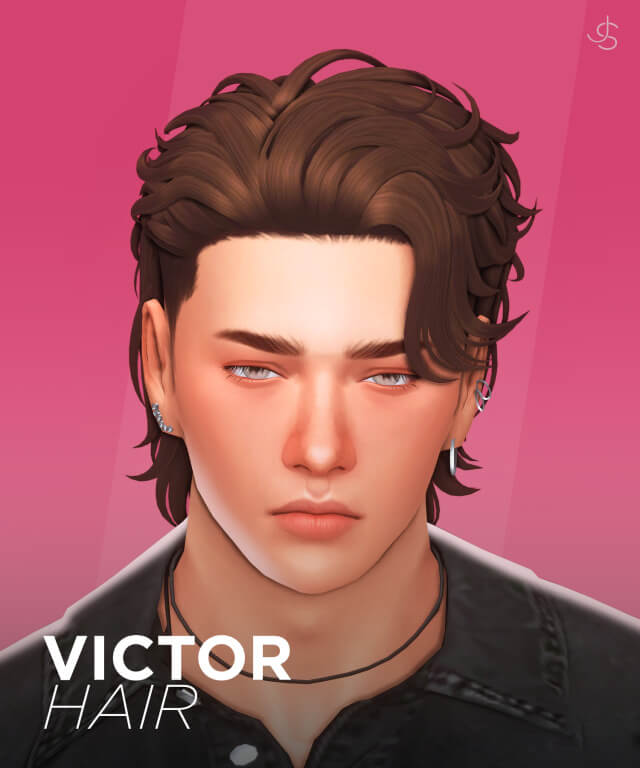
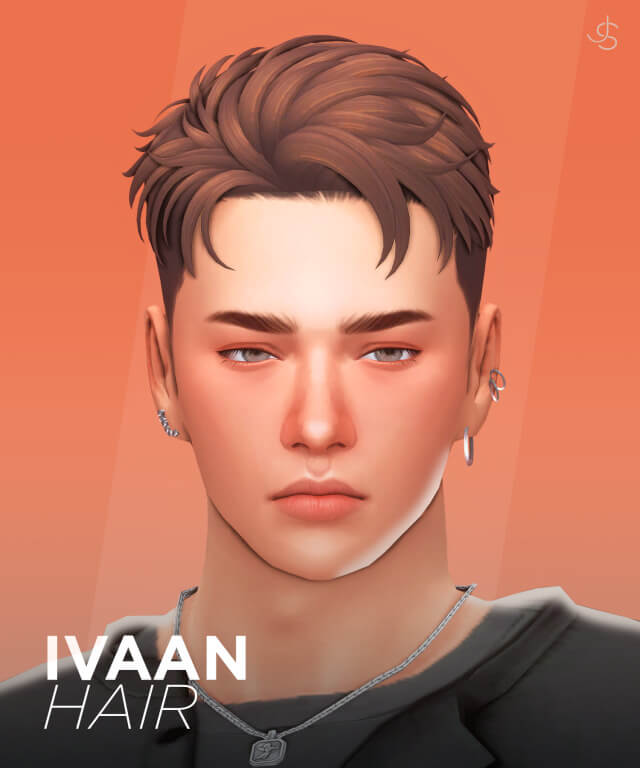
Dylan Hair features a relaxed, contemporary cut characterized by softly textured crown layers and face-framing fringe. The hair flows organically over the forehead without completely obstructing character eyebrows or eyes, allowing Sims to convey emotional facial expressions with complete clarity. The sides and nape are sculpted cleanly to hug the natural contours of the skull, avoiding bulky or disproportionate head silhouettes.
Key technical and aesthetic highlights of this hairstyle include:
- New Original 3D Mesh: Scratch-built geometry with clean vertex loops and balanced polygon counts.
- Twenty-Four EA Swatches: Complete official EA color palette covering natural, elder, and fantasy tones.
- Custom Hat Chops: Seamless morphing that allows Sims to wear beanies, caps, and fedoras without clipping.
- Complete Level of Detail (LODs): Fully populated LOD0 through LOD3 models for smooth rendering at distance.
- Base Game Compatibility: Completely accessible without requiring any expansion packs or DLC.
The vertex weighting around the neck and jawline was smoothed with precision. When Sims turn their heads, speak animatedly, laugh, or eat, the strands flex in harmony with character skeletal rigs without polygon stretching or seam separation.
The crown exhibits natural fullness that mimics authentic hair density without crossing into excessive cartoon volume, keeping your characters looking grounded in the Sims 4 world.
24 EA Color Swatches and Texture Mapping
Dylan Hair comes equipped with all 24 official EA color swatches, ensuring flawless genetic continuity across family trees and legacy generations. The swatches include rich natural blacks, chocolate browns, warm chestnuts, golden blondes, and vibrant fiery coppers. For mature Sims, salt-and-pepper, platinum, and pure white swatches look distinguished and refined. Creative Sims can also rock playful fantasy shades like pastel pink, mint green, and electric purple.
Texture mapping strictly adheres to Maxis Match standards. Hand-painted clay highlights follow the organic curve of the hair strands, creating soft visual dimension that catches dynamic lot lighting with natural charm. Darker swatches retain visible strand separation under interior lighting, avoiding flat black voids.
A custom Create-a-Sim thumbnail allows for quick visual identification in crowded hair catalogs.
The highlights blend smoothly from root to tip, preventing awkward blocky transitions when lighting shifts from outdoor sunshine to indoor lamplight.
Create-a-Sim Styling and Fashion Pairing
In Create-a-Sim, Dylan Hair proves exceptionally versatile across diverse masculine and unisex character concepts. Pair it with an oversized flannel shirt, ripped jeans, and combat boots for an indie grunge musician aesthetic. Combine it with a crisp button-down shirt, tailored trousers, and loafers for a sharp academic or business casual presentation.
The open face-framing design provides plenty of room for facial accessories. Glasses, sunglasses, stud earrings, and ear cuffs sit naturally alongside the temples without clipping through hair geometry. Facial hair also coordinates effortlessly; short stubble, full beards, and sculpted goatees blend seamlessly into the sideburns.
Cataloged under Hair in CAS, the asset is tagged for Everyday, Formal, Athletic, Sleepwear, and Hot Weather, and disabled for random townies to maintain visual curation.
The cut flatters a wide range of jawlines and cheekbone shapes, making it a reliable default option for rotational family saves and diverse townie renovations.
Live Mode Stability and Hat Compatibility
During extensive gameplay testing on active residential and community venues, Dylan Hair performed with rock-solid consistency. Sims engaged in vigorous workouts at the gym, swam in neighborhood pools, and interacted socially without visual glitches.
The custom hat chops function flawlessly. When Sims put on beanies, baseball caps, or wide-brimmed sunhats, the hair morphs cleanly beneath the brim without unsightly strand clipping through the crown. All level-of-detail models ensure that panning the camera across neighborhood lots maintains smooth frame rates.
Installing Dylan Hair takes only seconds: place the unzipped package file into your Sims 4 Mods directory, verify that custom content is enabled in game options, and start styling your Sims immediately.
Its lightweight file size ensures that multiple Sims on an active lot can sport this haircut simultaneously without degrading frame rates or causing graphical stutter.
The natural movement of the textured strands enhances storytelling screenshots and machinima videos. Whether your character is laughing with friends at a campus cafe or walking thoughtfully along rainy city streets, the haircut feels alive and expressive.
In addition, the 24 EA swatches ensure that your Sims can age gracefully from teen students to distinguished elders without losing their signature hairstyle or genetic continuity.
The clean clay texture mapping blends harmoniously with standard Maxis match skin details, making Dylan Hair a dependable foundational asset for any player's everyday custom content collection.
Frequently Asked Questions
Does Dylan Hair include hat chops?
Yes, Dylan Hair features custom hat morphs allowing Sims to wear beanies, baseball caps, and winter hats without clipping.
How many swatches are available in the package?
The haircut includes all 24 official EA color swatches covering natural tones, elder greys, and vibrant fantasy colors.
Is this hairstyle base game compatible?
Yes, Dylan Hair is 100% base game compatible and requires no additional expansion packs or DLC to work properly.