Sculpted Clay Strands and Voluminous Root Architecture
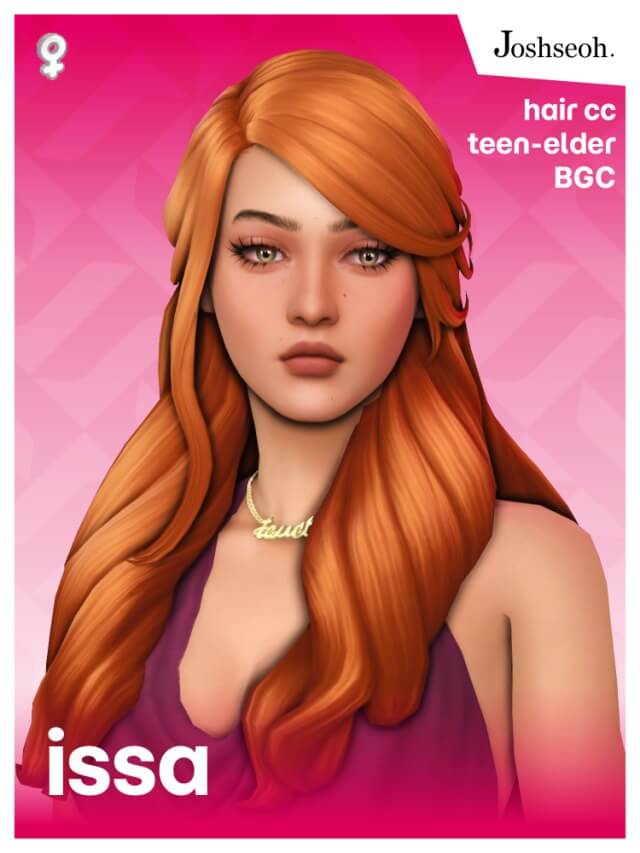
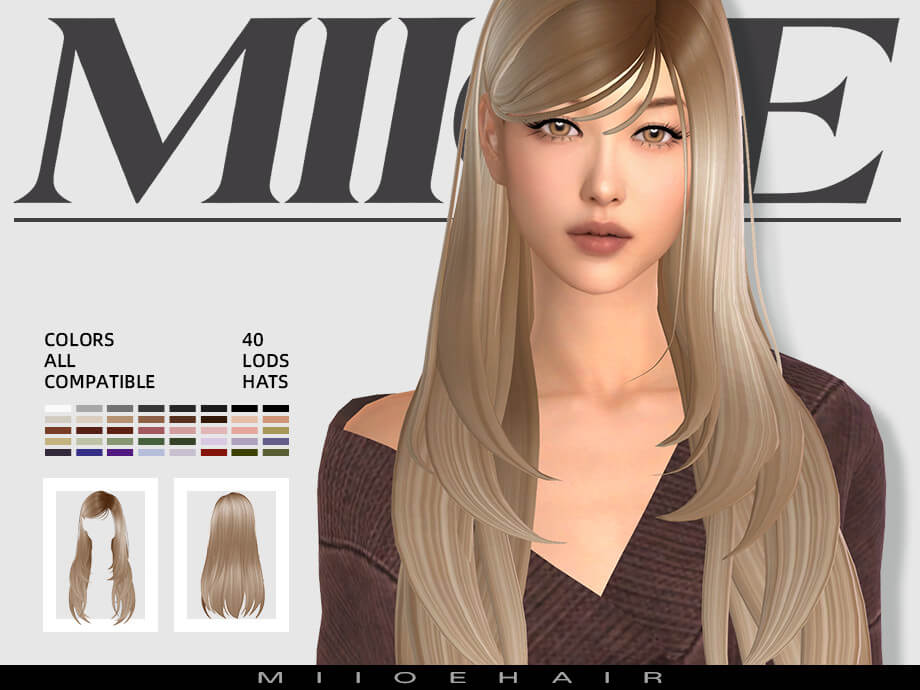
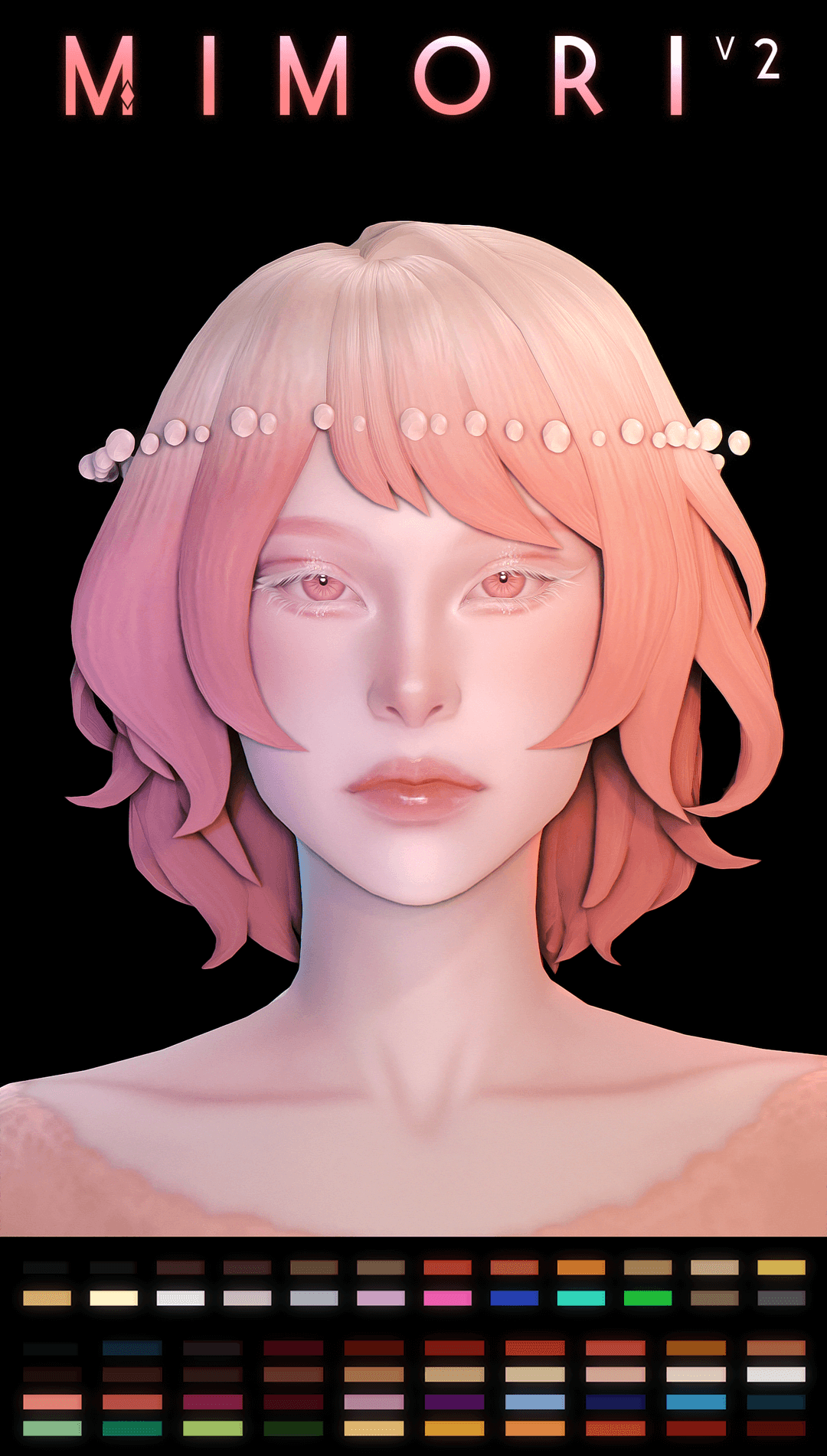
The 3D modeling on the Mimori Hair exemplifies Simandy's mastery over clay strand topology. Each ribbon of hair is sculpted with smooth, rounded bevels that catch diffuse sunlight without producing noisy visual grain or artificial shine. The crown features natural lifted volume that contours comfortably around the skull, while the front bangs fall in soft, rounded clusters that accentuate character eyes with youthful charm.
Vertex animation weighting ensures that the shoulder-grazing waves move naturally during conversational gestures, head turns, and athletic activities. The locks drape cleanly across upper shoulder muscles without cutting into clothing meshes or bulky outerwear collars. Simmers devoted to expanding their Maxis Match libraries can visit Sims 4 Update to discover complementary clay hair accessories, skin overlays, and fashionable casual outfits.
Mimori Hair Specifications and Swatches
- Playful Wave Cut: Voluminous shoulder-length clay waves paired with soft brow-grazing bangs and framing tendrils.
- Full EA Swatch Spectrum: Includes all standard 24 EA hair swatches from bright platinums and warm chestnuts to bold fantasy shades.
- Hat Compatibility: Expertly sculpted hat chops ensure a natural, compressed fit under beanies, berets, and sunhats.
- Standalone Package: Autonomous package file requiring no external mesh dependencies or DLC expansion packs.
Clay Texture Shading and Natural Sunlight Reaction
Because this hairstyle utilizes standard EA diffuse and specular shaders, it interacts flawlessly with the game's dynamic lighting system. Under bright noon sunshine in Sulani or cozy indoor lamplight in Willow Creek, the swatches retain rich, authentic color depth without appearing washed out or overly dark. The scalp texture aligns cleanly with default hairlines, ensuring no awkward gaps or texture bleeding along the forehead.
Hat Chop Topology and All-Season Versatility
One of the most impressive technical feats of Simandy's creation is how beautifully the mesh compresses under headwear. Rather than flattening the playful bangs into an unnatural plate, the custom hat morph preserves the soft wispy fringe along the forehead while tucking the crown naturally under knitted beanies, chic French berets, and wide-brim sun hats. This all-season flexibility ensures that your characters look effortlessly put-together across winter snowstorms and summer vacations.
The strands resting across the shoulders also conform smoothly to bulky winter scarves and coat collars without clipping through, maintaining a tidy, charming silhouette during cold-weather outdoor family gameplay.
CAS Face Shape Pairing and Everyday Versatility
In Create-a-Sim, the Mimori Hair flatters an extensive range of facial geometry. The soft brow-grazing bangs soften strong foreheads and highlight expressive eye presets, while the side tendrils balance round, oval, and heart-shaped cheekbones. From lively high school teens and busy university students to creative art gallery directors, this versatile haircut infuses characters with approachable warmth and contemporary style.
Simandy engineered disciplined polygon counts and clean level of detail (LOD) models that guarantee buttery smooth game performance even on mid-range laptops during busy neighborhood festivals and crowded social parties.
To add this charming Maxis Match hairstyle to your game, download the package directly from Patreon via the button below. Place the file inside your Sims 4 Mods directory, make sure custom content is enabled in your options menu, and enjoy styling your Sims with delightful clay volume, bouncy waves, and effortless charm, luminous color reproduction, and versatile everyday styling appeal across every vibrant generational life stage.