Advanced Behavioral Analysis and Sandbox Validation
What elevates the Sims 4 Mod Security Tracker beyond static signature scanners is its dynamic behavioral analysis engine. Malicious threat actors frequently attempt to circumvent simple filename blacklists by renaming compromised files or encrypting payloads. This utility monitors runtime execution behavior within the Sims 4 Python sandbox, instantly flagging attempts to spawn unauthorized background processes, execute shell commands, or establish socket connections to foreign web servers, neutralizing threats in real time before damage can occur.
Proactive Malware Detection and Script Monitoring
The Mod Security Tracker operates as an intelligent real-time security monitor. Built to detect suspicious, obfuscated, or unauthorized code execution within .ts4script and package files, this utility intercepts potentially dangerous system calls before they can ever interact with your Windows registry, download external payloads, or access sensitive user directories.
Unlike basic antivirus software that may not understand the specific runtime architecture of The Sims 4's Python environment, this security mod is purpose-built to recognize the unique execution signatures of Sims 4 scripts, providing pinpoint accuracy without disrupting legitimate gameplay mods.
Version 1.4 Refinements and False-Positive Elimination
The latest Version 1.4 update brings significant technological advancements to ensure smooth, unhindered gaming sessions:
- Refined Security Tracking Engine: Substantially upgraded detection heuristics to eliminate false alarms on complex script mods, such as UI Cheats Extension, MC Command Center, and story progression frameworks.
- Save Data Handling Fix: Resolved an issue where mods that legitimately serialize custom settings or save state data to local files were mistakenly flagged as suspicious.
- Inconclusive Scan Filtering: Streamlined background logging to prevent vague or unnecessary warning prompts, ensuring that only genuine security threats trigger player alerts.
Clear In-Game Notifications and Actionable Alerts
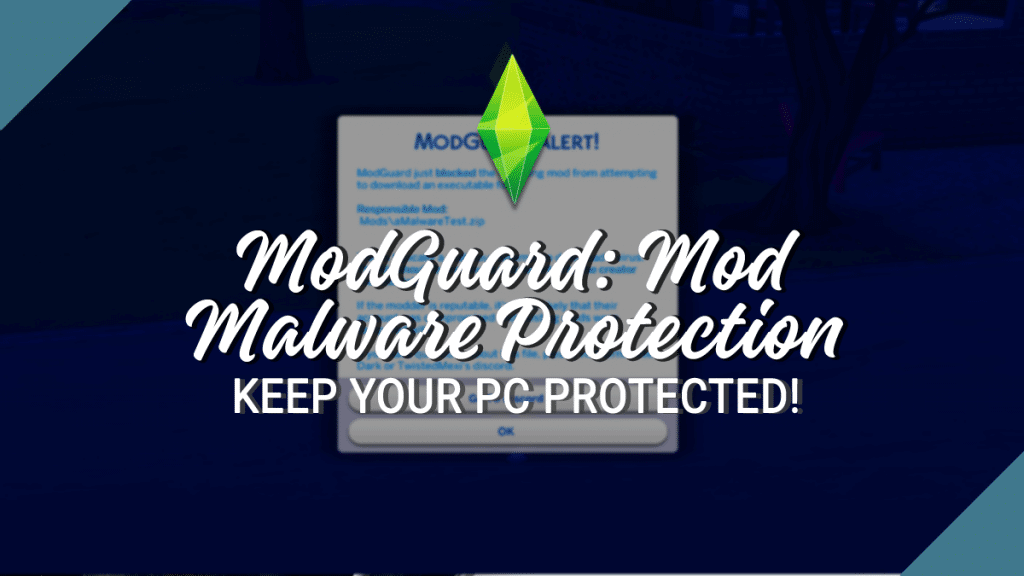
When a compromised file or suspicious script behavior is detected, the utility generates an immediate, high-priority in-game notification dialog. The alert clearly identifies the offending mod filename, the exact directory path inside your Mods folder, and the nature of the unauthorized operation.
This gives players immediate actionable clarity, allowing them to safely exit the game, quarantine or delete the compromised file, and prevent any risk of data corruption or unauthorized background processes.
Lightweight Background Performance and Zero Game Lag
Security utilities must never compromise game performance, and this tool was engineered with feather-light efficiency. The monitoring routines initialize during the initial game boot sequence and execute asynchronous checksum validations that consume negligible CPU cycles and memory. Whether running the game on a high-end desktop or a budget gaming laptop, you will experience zero frame rate drops or stuttering during active gameplay.
Automated Logging and Community Threat Intelligence
Modern modding ecosystems rely heavily on community trust and shared intelligence, and the Sims 4 Mod Security Tracker serves as an essential hub for early threat detection. When the tool identifies anomalous script behaviors, it generates detailed diagnostic logs within your game directory. These logs provide technical breakdowns of intercepted function calls, enabling advanced players and mod creators to dissect potential attack vectors and share actionable threat reports with the broader community.
This community-wide synergy helps platform moderators swiftly remove compromised files from public repositories before widespread damage can occur. By keeping this security utility active in your game, you not only protect your personal hardware and game saves, but also actively participate in keeping the global Sims 4 modding landscape safe, vibrant, and enjoyable for everyone.
Essential Best Practices for Safe Modding
While the Mod Security Tracker provides an indispensable line of defense, simmers should always maintain good digital hygiene. Only download custom content and script mods from verified creators, trusted platforms like Patreon, CurseForge, and reputable community forums. Never run external .exe files disguised as custom content, and regularly back up your electronic arts Sims 4 saves folder to secure cloud or external storage.
In addition to active real-time protection, the utility offers customizable notification thresholds in its configuration file. Advanced users can tailor logging verbosity, enable silent background quarantine modes, or whitelist trusted custom scripts, ensuring that your security framework aligns perfectly with your individual modding setup, technical workflow, and personal gameplay preferences without unnecessary interruptions.
Frequently Asked Questions
What does the Sims 4 Mod Security Tracker do?
It actively monitors script executions in your Mods folder to detect, block, and report malicious or compromised script files.
Will this mod conflict with major mods like MCCC or UI Cheats?
No, Version 1.4 specifically resolved false positives related to legitimate script mods and settings savers.
How do I install this security utility?
Simply place the downloaded script file directly into your Mods folder (no deeper than one subfolder) and ensure Script Mods are enabled in your game options.