Playful Concept and Expressive Pose Variations
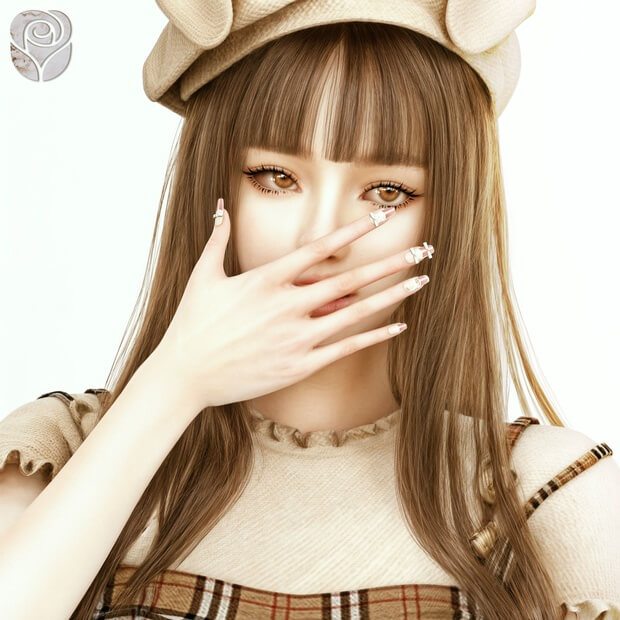
The Woof Woof pose set is designed around lighthearted, cheerful themes often seen in Asian pop culture and modern social media selfies. The poses combine curled hands mimicking playful puppy paws with expressive facial gestures including winks, gentle smiles, and head tilts.
The collection provides nine distinct female pose files:
- Pose 1 to 3: Standing poses featuring curled wrists, playful double-fist cheeks framing, and subtle body weight shifts that convey youthful energy.
- Pose 4 to 6: Dynamic seated and kneeling positions ideal for bed frames, cozy rugs, or outdoor park benches, highlighting candid relaxation.
- Pose 7 to 9: Close-up selfie and portrait alignments tailored for tight camera framing, featuring gentle chin resting and charming eye contact.
- In-Game Animation Rigging: Tailored specifically for female character rigs across teen, young adult, and adult age categories.
- Natural Finger Weighting: Hand bones and individual fingers are positioned cleanly to avoid awkward stiff stretching or polygonal distortion.
- Stable Footing Alignment: Feet anchor solidly against flat surfaces, preventing awkward hover gaps when teleporters are set at ground level.
What makes this pack particularly appealing is the organic flow of the spine and neck angles. In many custom pose packs, characters suffer from rigid necks that make head tilts look robotic. The creator of Woof Woof has sculpted soft collarbone rotations and relaxed shoulders, giving each pose effortless fluidity.
The facial expressions bundled into each pose are subtle and sweet. Rather than relying on exaggerated grimaces that distort custom makeup, the facial bone movements preserve character beauty while communicating genuine warmth.
Required Tools and In-Game Setup Workflow
To use the Woof Woof Pose Pack during live gameplay, players must ensure two essential community tools are properly installed in their mods directory. These foundational utilities allow you to position your characters and trigger specific animations on demand.
Setting up your photoshoot involves a simple step-by-step workflow:
- Andrew Pose Player: Required for browsing custom pose packs and queuing specific animations via the pie menu.
- Teleport Any Sim Mod: Required for placing the teleport statue at the exact coordinates where you wish your character to appear.
- Statue Placement: In Buy Mode, place the teleporter knight statue on the floor or furniture item where your Sim should pose.
- Teleportation Action: Click the statue during live mode and select your desired female character to teleport her into position.
- Pose Selection: Click your character, choose Pose by Pack, locate the Woof Woof album, and select any of the nine pose numbers.
Once triggered, the character smoothly adopts the chosen posture and freezes in place, allowing you to enter free camera mode (Tab key) and frame the perfect composition. You can freely adjust lighting, field of view, and camera height without the character resetting prematurely.
Photography Tips and Aesthetic Staging
The Woof Woof poses look best when paired with casual, trendy streetwear or cozy loungewear. Think oversized pastel knit sweaters, pleated tennis skirts, graphic hoodies, and playful animal-ear hair accessories. Cute knee-high socks or chunky sneakers complete the look seamlessly.
When staging lighting for your screenshots, try placing soft warm studio lights at roughly forty-five degree angles in front of your character. This gentle illumination highlights the curved wrist contours and facial cheekbones without casting harsh shadows under the chin.
For storytellers running Simstagram accounts or visual blogs, the seated and floor poses look incredible inside decorated teen bedrooms, aesthetic cafes, or blossoming park gardens. Having nine variations means you can produce an entire themed photo shoot without feeling like every picture looks identical.
Mesh Stability and Clipping Prevention
Because these poses feature hands positioned close to the face and torso, testing them with various clothing meshes is important. The creator designed comfortable clearance margins between the hands and cheeks, allowing most medium-thickness hairstyles and tops to display cleanly without awkward clipping.
For the best visual results, avoid bulky winter parkas or extremely wide bell sleeves that might engulf the delicate wrist poses. Fitted tops, sleeveless dresses, and light jackets ensure the expressive puppy paw gestures remain the central focus of your image.
Frequently Asked Questions
Can I use this pose pack without the Andrew Pose Player?
No, the Woof Woof pack is designed specifically as an animation package that relies on the Andrew Pose Player framework. Without it, you cannot manually trigger or freeze the custom poses in game.
Are these poses compatible with male Sims?
The poses are mapped to the female animation rig. While you can technically queue them on male Sims, differences in shoulder width and hand proportions may cause slight clipping around the chest and cheeks.
How do I unfreeze my Sim after finishing the photo shoot?
Simply click your active Sim, open the Pose Player interaction menu, and select Stop Posing. Your character will immediately resume normal simulation gameplay and autonomous actions.
Capture irresistibly cute character moments and elevate your virtual storytelling gallery with the Woof Woof pose pack today.