Gradual Scaling Engine, Pie Menu Integration, and Anatomical Sliders
A closer look at the technical architecture behind this gradual growth framework reveals advanced systems design:
- Daily Bone Delta Progression: Recalculates skeletal heights at midnight, applying microscopic scale increases.
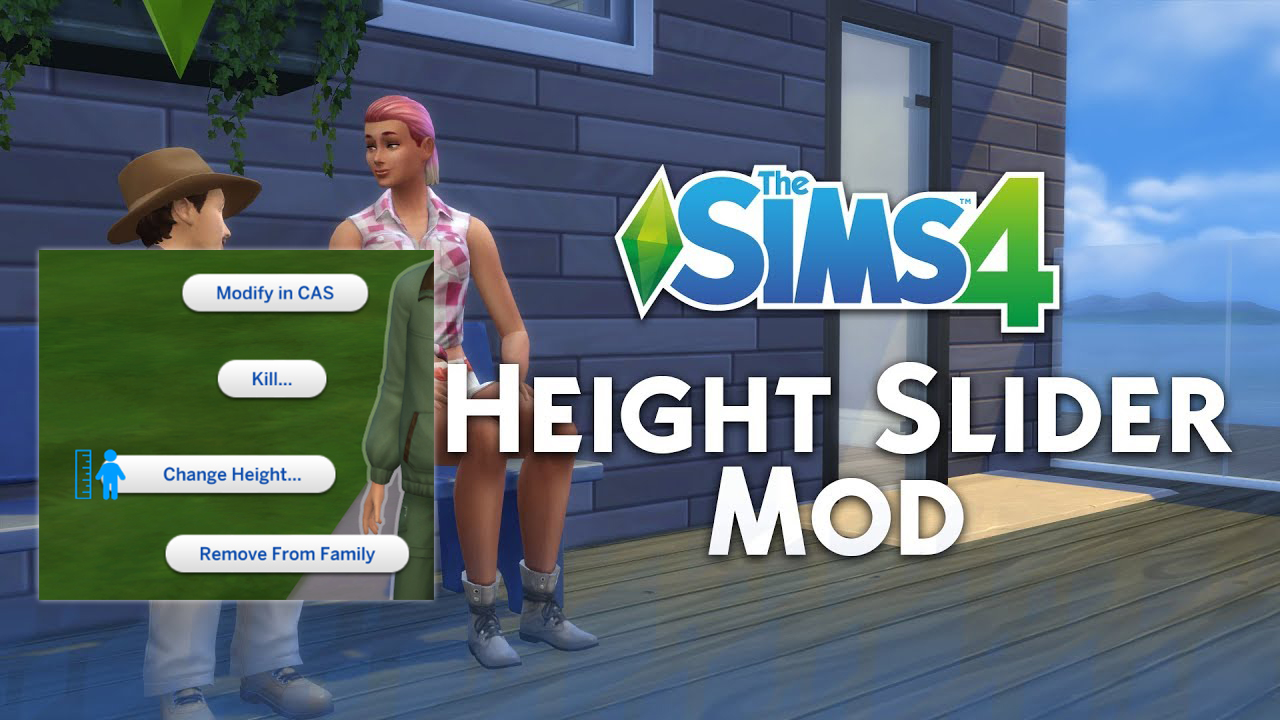
- Interactive Pie Menu Adjustments: Lets players set exact height percentages directly in live mode without entering CAS.
- Multi-Part Body Sliders: Independent bone channels for neck length, hand width, and torso thickness.
- Base Game Growth Mechanics: Operates natively across standard Sims 4 installations without requiring Growing Together DLC.
- Conflict-Free Script Architecture: Compatible with popular tuning frameworks including MC Command Center.
- Customizable Growth Thresholds: In-game settings let players pause or accelerate growth for specific family members.
The daily visual progression is breathtaking to witness in live mode. Rather than an abrupt age transition, parents will notice their child gradually catching up to older siblings week by week, making the passage of in-game time feel tangible and emotionally meaningful.
The inclusion of neck and hand sliders solves long-standing anatomical issues in CAS. Players can sculpt slender, elegant necks for ballet dancers or sturdy, thick necks for rugged athletes, while hand scaling prevents characters from having awkwardly small or oversized hands.
Additionally, the live mode pie menu lets you make instantaneous stature adjustments on visiting neighbors without cumbersome cheat commands.
Generational Milestones and Family Maturation Across Game Worlds
The dynamic physical maturation delivered by this gradual growth mod enriches family storytelling across all neighborhoods:
In San Sequoia, guide a multi-child family through the bittersweet experience of watching their youngest toddler grow gradually into an energetic teenager. Coordinating this progressive physical maturation with automated youth adjustments like Auto Shorter Teens creates a living, breathing neighborhood where adolescent growth spurts unfold with complete biological believability.
High school corridors in Copperdale look authentic with freshmen students standing visibly shorter than graduating seniors.
In Britechester, young university scholars experience subtle physical maturation as they progress through demanding degree courses.
Chestnut Ridge ranch families celebrate the physical growth of young farm hands as they gain the height needed to ride adult horses.
In Henford-on-Bagley, village children helping with daily garden chores gradually grow into capable agricultural caretakers.
Suburban parents in Willow Creek can photograph yearly growth milestones against kitchen doorframe measurement marks.
Storytellers documenting multi-generational legacy challenges can capture authentic family photo albums showing children gradually developing into confident, capable teenagers before leaving home for university.
The subtle visual evolution across intermediate school semesters makes birthday transitions feel earned, rewarding players who invest extensive gameplay hours into nurturing their growing households.
Legacy challenge players will experience unforgettable emotional connections as heirs slowly transform into full-grown family leaders.
Live Mode Animation Dynamics, Inverse Kinematics, and Engine Stability
Dynamic growth mods must operate smoothly alongside the game's animation engine without causing character limbs to distort or clip through floors. The author designed the incremental growth steps to stay strictly within engine tolerances.
Character feet remain firmly anchored to floor surfaces, preventing hover bugs or underground sinking during growth transitions.
Seated postures on dining chairs, school desks, and sofas conform cleanly throughout each incremental height milestone.
The mod automatically syncs clothing meshes with the changing bone heights, preventing awkward texture stretching in live mode.
Recommended Lifespan Configuration and Family Tracking Tips
For the most satisfying domestic gameplay, set your game lifespan to Normal or Long. Mark your calendar for key milestone days, take regular family screenshots by the living room fireplace, and watch as your children naturally grow taller throughout their youth.
Installing the Height, Sliders, and Gradual Growth Mod
To install the mod, download the package and script files from the ModTheSims link below and place them into your Documents/Electronic Arts/The Sims 4/Mods directory.
Confirm that script mods and custom content are active in Game Options, restart The Sims 4, and load your active family. Click on any child or teen Sim to access the Growth menu or enter CAS to use the custom body sliders.
Wrapping Up the Gradual Growth Mod
The Height, Sliders, and Gradual Growth Mod on ModTheSims is a revolutionary simulation overhaul that permanently solves the unrealistic abruptness of aging in The Sims 4. By introducing smooth daily height progression alongside versatile anatomical sliders, it makes family life feel alive, dynamic, and genuinely heartwarming. If you love family gameplay and want to see your children grow up naturally day by day, this download is thoroughly recommended.