
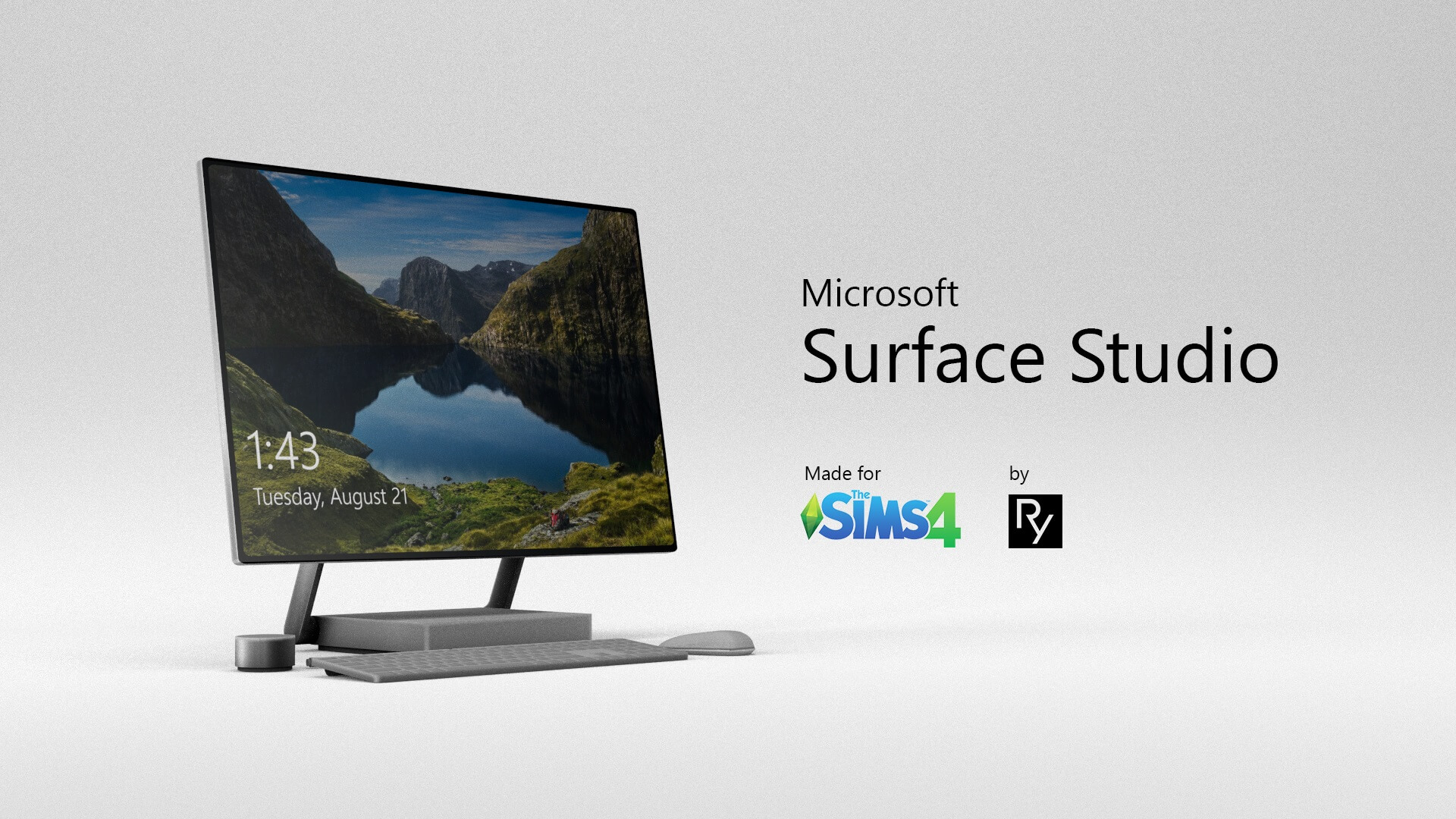
High-tech creative workstations bring authentic professional immersion to modern home offices, design agencies, and artistic studios in The Sims 4. The Microsoft Surface Studio CC Review: In The Sims 4 PC introduces an iconic all-in-one desktop computer setup, featuring an ultra-slim tilting touchscreen display, a minimalist aluminum zero-gravity hinge base, and coordinating high-tech accessories. Designed for digital painters, freelance writers, and tech entrepreneurs in San Myshuno, this functional computer combines architectural sophistication with practical gaming utility.
Ultra-Slim Tilting Display and Aluminum Base Modeling
The defining triumph of the Microsoft Surface Studio CC is its faithful industrial design recreation. Rather than a bulky generic monitor, the computer features a razor-thin 28-inch display mounted on dual chrome arms that reflect daylight with realistic metallic specular shine. The weighted rectangular base houses the internal hardware cleanly, complemented by a low-profile wireless chiclet keyboard, a precision mouse, and the iconic circular Surface Dial accessory resting on the desk surface.
Simmers sourcing functional electronics through sims 4 cc directories will appreciate the high visual fidelity of the screen textures. When Sims interact with the computer to write novels, program video games, browse web forums, or freelance, the screen illuminates with crisp graphical interfaces that avoid pixelated artifacts or flat matte glare.
The desktop footprint is calibrated with care, leaving ample decorative room on standard desks for study lamps, coffee mugs, and sketchbooks without triggering placement conflicts.
Modern Finish Swatches for Contemporary Workspaces
The Microsoft Surface Studio CC comes equipped with a versatile palette of authentic metallic tones and modern hardware finishes suited for diverse office decors:
- Classic anodized platinum aluminum with crisp white accessories for pristine high-end corporate suites.
- Matte graphite and space grey options tailored for sleek urban loft studios and tech startup offices.
- Midnight obsidian black swatches that blend into moody gamer dens and architectural design studios.
- Polished silver chrome hinge variants that gleam under modern pendant study lamps.
- Warm brushed champagne gold finishes for luxury executive penthouse workspaces.
- Two-tone contrast editions featuring dark bezels paired with light aluminum bases.
- Industrial brushed gunmetal swatches suited for gritty creative workshops in Evergreen Harbor.
- Soft frosted pearl white options that complement Scandinavian blonde wood writing desks.
Functional Gameplay Interactions and Sound Tuning
This custom computer is fully functional, supporting every standard PC interaction available in The Sims 4 base game and expansion packs. Sims can research skills, livestream video games, chat with friends on SocialSim, order groceries, and complete career daily tasks with authentic keyboard typing and mouse-clicking sound effects.
The object is tuned with high reliability and low breakage rates, ensuring that your ambitious tech Sims spend their productive hours working rather than constantly repairing malfunctioning hardware.
The lightweight polygon optimization keeps lot performance completely fluid even in busy office venues packed with multiple active computer stations.
Creative Freelance Storytelling and Tech Careers
This high-end workstation fits naturally into contemporary career narratives. Outfit a visionary freelance digital artist illustrating graphic novels, an ambitious software developer coding mobile apps into the late night, or a successful corporate CEO reviewing financial spreadsheets. The sleek Surface Studio brings genuine modern prestige to every creative endeavor.
All-in-One PC Verdict and Direct Download Link
The Microsoft Surface Studio CC is an outstanding functional electronics pack, uniting iconic tech modeling, versatile metallic swatches, and complete in-game PC utility. It is an indispensable addition to modern residential and commercial builds.
To integrate this modern touchscreen computer into your home lots, download the package files through the creator link below and drop them cleanly into your Sims 4 Mods folder. Always verify that custom content options remain enabled in your game settings before launching your next design renovation.