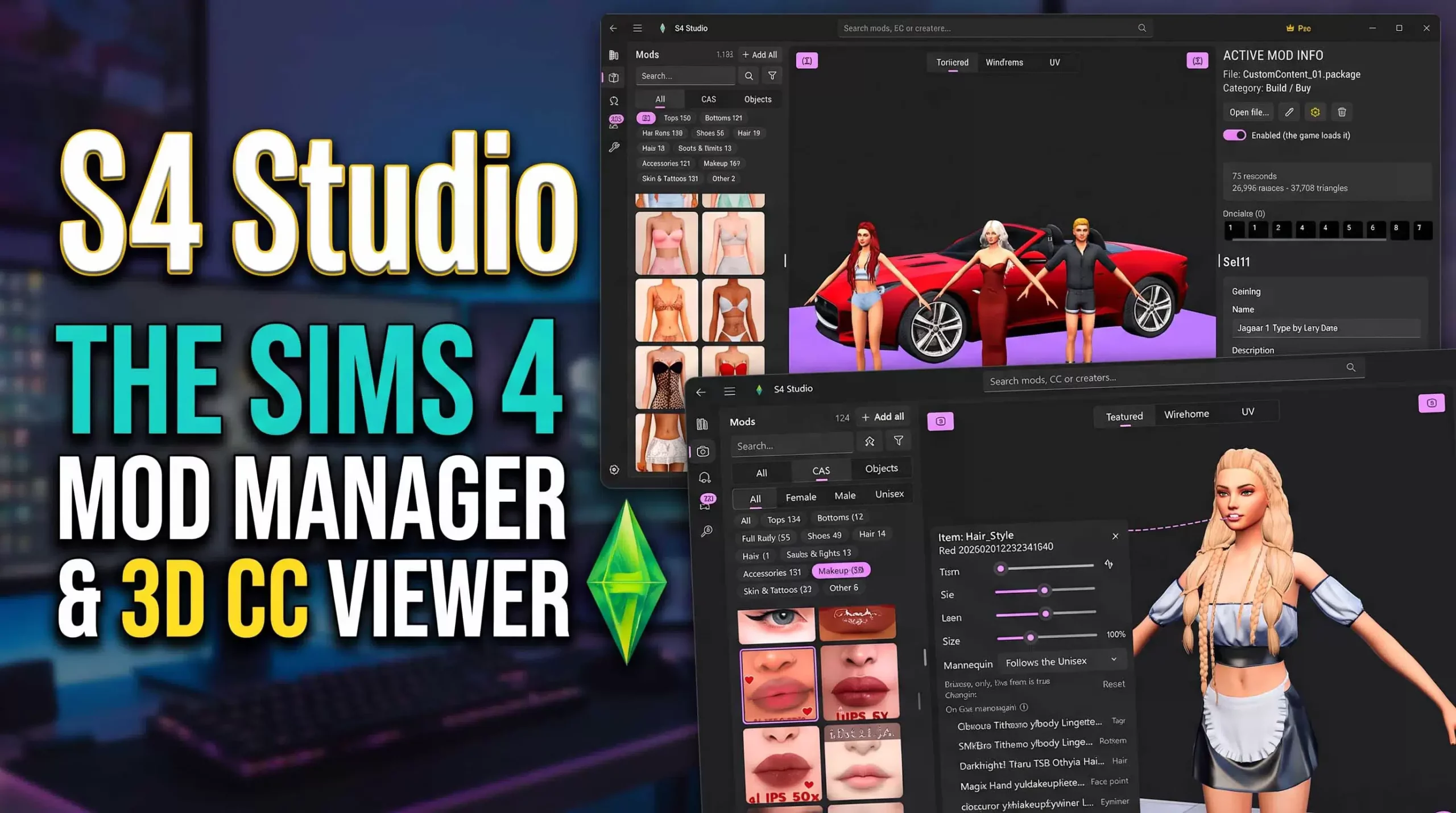
WebGL Rigging Preview and 3D Mannequin Anatomy
The core technology behind the CAS Viewer centers on a high-performance WebGL rendering engine equipped with default Sim anatomical mannequins. When a creator uploads a CAS .package file, the tool automatically identifies whether the item is a top, bottom, dress, shoe, or hair asset, fitting it precisely onto a 3D Sim model in the viewport.
Users can rotate, pan, and zoom around the model with fluid 60-FPS responsiveness. Simmers curating pristine CAS mod folders can visit Sims 4 Update to pair this online tool with wardrobe organization guides and conflict resolution tutorials.
CAS Viewer Specifications and Wardrobe Diagnostic Features
- Online 3D CAS Diagnostic Utility: Zero-install browser tool compatible with Chrome, Firefox, Safari, and Edge.
- Interactive 3D Mannequin Fitting Viewport: Displays clothing and hair assets fitted onto adult male and female base models.
- Texture Swatch and UV Map Analysis: Previews diffuse maps, shadow maps, normal maps, and specular channels.
- LOD Level and Poly Count Inspection: Details vertex budgets across LOD0 to LOD3 to ensure performance compliance.
Texture Map Decompilation and Normal Shader Inspection
The tool instantly parses and previews all embedded texture maps, including base diffuse swatches, normal bump maps, and specular highlight masks. Creators can cycle through every available swatch with a single click, identifying broken textures, misaligned seams, or pixelated compression artifacts before testing in-game.
The lighting controls allow users to toggle between outdoor sunshine, studio spotlights, and neutral ambient light, ensuring that fabric reflections and leather sheens look natural from all angles.
Bone Weighting Verification and Morph Target Checking
A frequent headache for CAS creators is discovering bad bone weighting only after launching the game. The CAS Viewer allows users to preview basic posture poses to verify how clothing deforms across joints like shoulders, elbows, and knees without polygonal clipping.
This instantaneous feedback eliminates hours of frustrating game restarts, dramatically accelerating custom clothing and hairstyle development cycles.
Animation Rigging Poses and Seam Inspection Controls
The online tool includes several standard CAS animation test poses that flex character limbs dynamically in the browser. Creators can test how custom sleeve cuffs, skirt hemlines, and trouser legs deform across joints like shoulders and knees without launching the full game client.
High-resolution zoom controls allow artists to inspect UV texture seams along collars and waistlines, identifying tiny texture bleed errors or pixel gaps before publishing their CC packs.
This seamless browser inspection provides content creators with an indispensable quality control toolkit accessible from any internet-connected computer.
The tool supports all major CAS item types—from delicate jewelry accessories to heavy outerwear coats—making it an all-in-one wardrobe diagnostic suite.
Secure Client-Side Processing and Cross-Platform Utility
Because the CAS Viewer executes entirely on the user's local web browser engine, no proprietary mesh assets or personal computer files are transmitted to external servers. The tool functions flawlessly across Windows, macOS, Linux, and even mobile tablets.
Its clean interface and rapid drag-and-drop workflow make it accessible to casual CC collectors seeking to identify mystery files as well as veteran 3D artists polishing new creations.
Empowering CC Creators and Wardrobe Curators
In the Sims 4 custom content ecosystem, the Online Studio CAS Viewer is an essential utility. It democratizes 3D asset inspection, simplifies mod curation, and provides content creators with a frictionless platform to verify their work anywhere in the world. Its technical polish brings modern web convenience to Sims 4 modding.