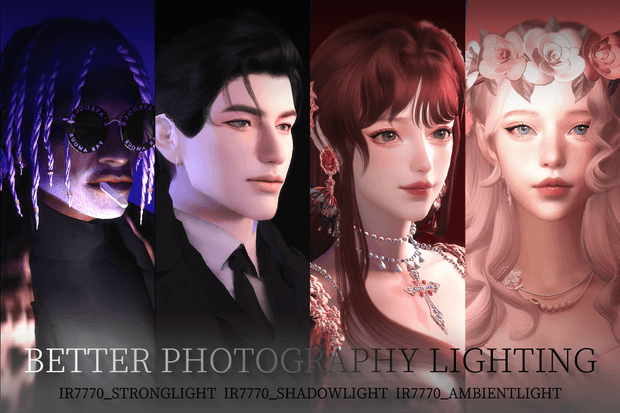
What is Included in the Studio Lighting Pack?
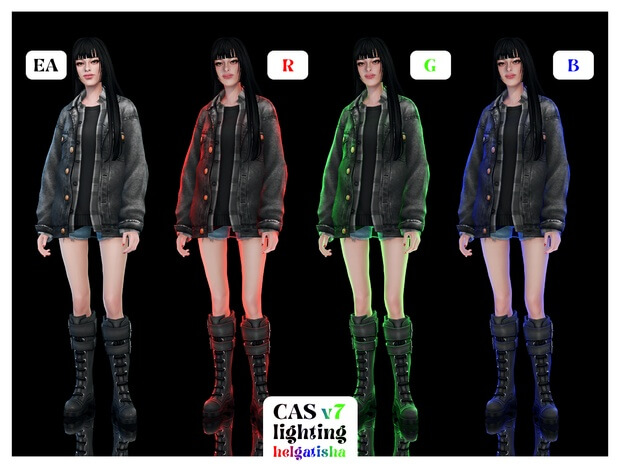
Creator ir7770 designed this set specifically to solve the unique technical challenges of virtual photography and portrait staging. The download contains 6 dedicated studio lighting objects slotted conveniently under Build/Buy > Lighting > Others:
- Soft Key Lights: Broad, diffused light sources that gently illuminate your Sim's face without blowing out skin highlights or washing out subtle blush.
- Precision Rim Lights: Narrow, directional edge lights designed to outline hair silhouettes, jawlines, and shoulder contours against dark backgrounds.
- Under-Eye & Chin Fill Lights: Low-angle light emitters that eliminate the unflattering dark eye-socket shadows cast by standard room lamps.
- Overhead Diffusers: Neutral, balanced top lights that provide natural ambient room glow without artificial color tinting.
- Background Spotlights: Focused beam fixtures crafted to create clean color gradients and dramatic halo effects behind posing models.
- Invisible / Ghost Fixtures: Specially engineered utility lights with invisible or minimal 3D footprints so they stay hidden during wide screenshot captures.
Overcoming Vanilla Lighting Frustrations
Standard Sims 4 lighting often struggles with color temperature and dynamic range. Even with in-game graphic settings set to Ultra, default lights frequently create blotchy pixelation on skin textures or cast sharp triangular shadows beneath noses and cheekbones. Better Photography Lighting completely neutralizes these issues by employing custom light attenuation curves.
The light emitted from these fixtures behaves like professional photographic softboxes and beauty dishes. Skin details like freckles, highlighter gleams, eyeliner wings, and fine hair strands are rendered with razor-sharp clarity. The illumination is pure, clean white by default, but can be fully customized using the in-game light color and intensity sliders to match any cinematic mood.
Essential Tool for CC Creators and Storytellers
Whether you create custom content and need crisp catalog preview photos, or you run a Sims-focused Instagram, Tumblr, or YouTube channel, this lighting pack is an absolute game-changer:
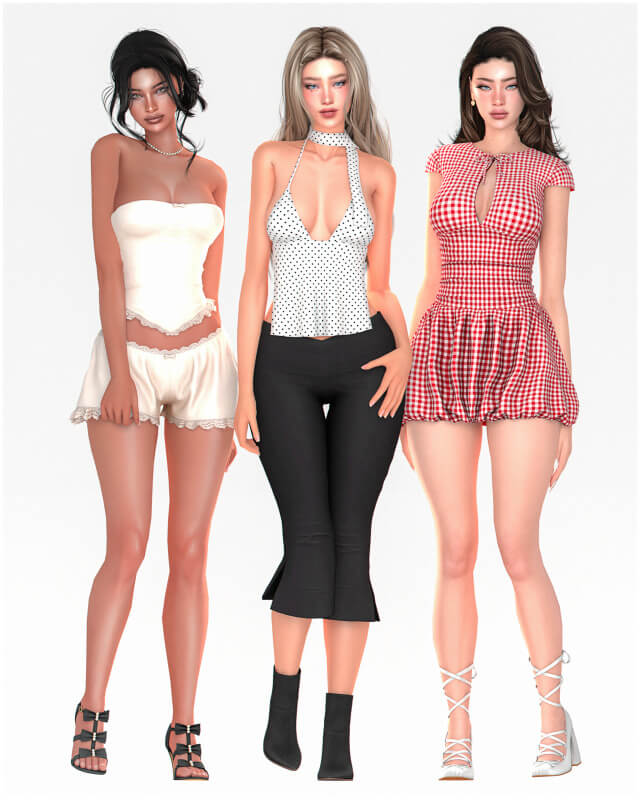
- Lookbook Presentation: Display clothing fabrics, leather reflections, and jewelry metals with photorealistic accuracy for fashion blogs.
- Dramatic Storytelling: Craft moody noir scenes, cozy candlelit conversations, or neon cyberpunk aesthetic captures with pinpoint light placement.
- Bridal & Milestone Shoots: Capture tear-jerking wedding moments, maternity photoshoots, and birthday celebrations with soft, flattering portrait lighting.
How to Set Up a Photo Studio in Build Mode
Setting up your private photo studio is effortless. Enter Build Mode on any residential or community lot, navigate to Lighting > Miscellaneous, and place a plain backdrop wall. Position two soft key lights at 45-degree angles facing your Sim's posing spot, place a rim light behind them slightly above shoulder height, and set a low fill light near the floor. Using the bb.moveobjects cheat allows you to fine-tune fixture placement within millimeters for perfect studio results.
Because these objects utilize efficient low-poly meshes, you can place multiple light fixtures simultaneously across a lot without encountering lag or performance drops.
Installation Guide and Compatibility Details
To install Better Photography Lighting, download the package files from ir7770's Patreon page linked below. Place the files into your Documents/Electronic Arts/The Sims 4/Mods directory, ideally within a subfolder like Mods/BuildBuy/StudioLighting/. Ensure custom content is enabled in Game Options, restart your game, and start capturing studio-quality portraits immediately.
Comparison with ReShade and Vanilla Lamps
Many virtual photographers rely heavily on external post-processing tools like ReShade or GShade to fix dull in-game graphics. While shader presets add color grading and depth of field, they cannot fix the underlying issue of poor light source placement or harsh facial shadows cast by EA ceiling lights. Better Photography Lighting addresses the root cause directly inside the game engine. By placing diffuse light emitters precisely where illumination is needed, you create balanced light reflections in your Sim's eyes and smooth ambient light across their cheekbones before shaders are even applied.
Furthermore, these fixtures do not require high graphical overhead, making them accessible to players on standard laptops who cannot run heavy external shader programs without severe FPS drops. The result is studio-grade portrait photography achievable entirely within vanilla game mechanics. They are an indispensable asset for creators who prioritize crystal-clear character modeling and pristine social media showcases. They effortlessly bring high-end commercial photo studio quality to your favorite game world.
Frequently Asked Questions
Where can I find these lights in Build/Buy mode?
The fixtures are located under Objects by Function > Lighting > Miscellaneous (or by searching "ir7770" in the search bar).
Can I change the color and brightness of the studio lights?
Yes, in live mode, simply click on each light fixture to adjust brightness levels and customize color hues freely.
Do these studio lights require any specific DLC pack?
No, the lighting objects are completely Base Game compatible and function with any setup.