Pose Breakdown: 4 Cohesive Group Compositions
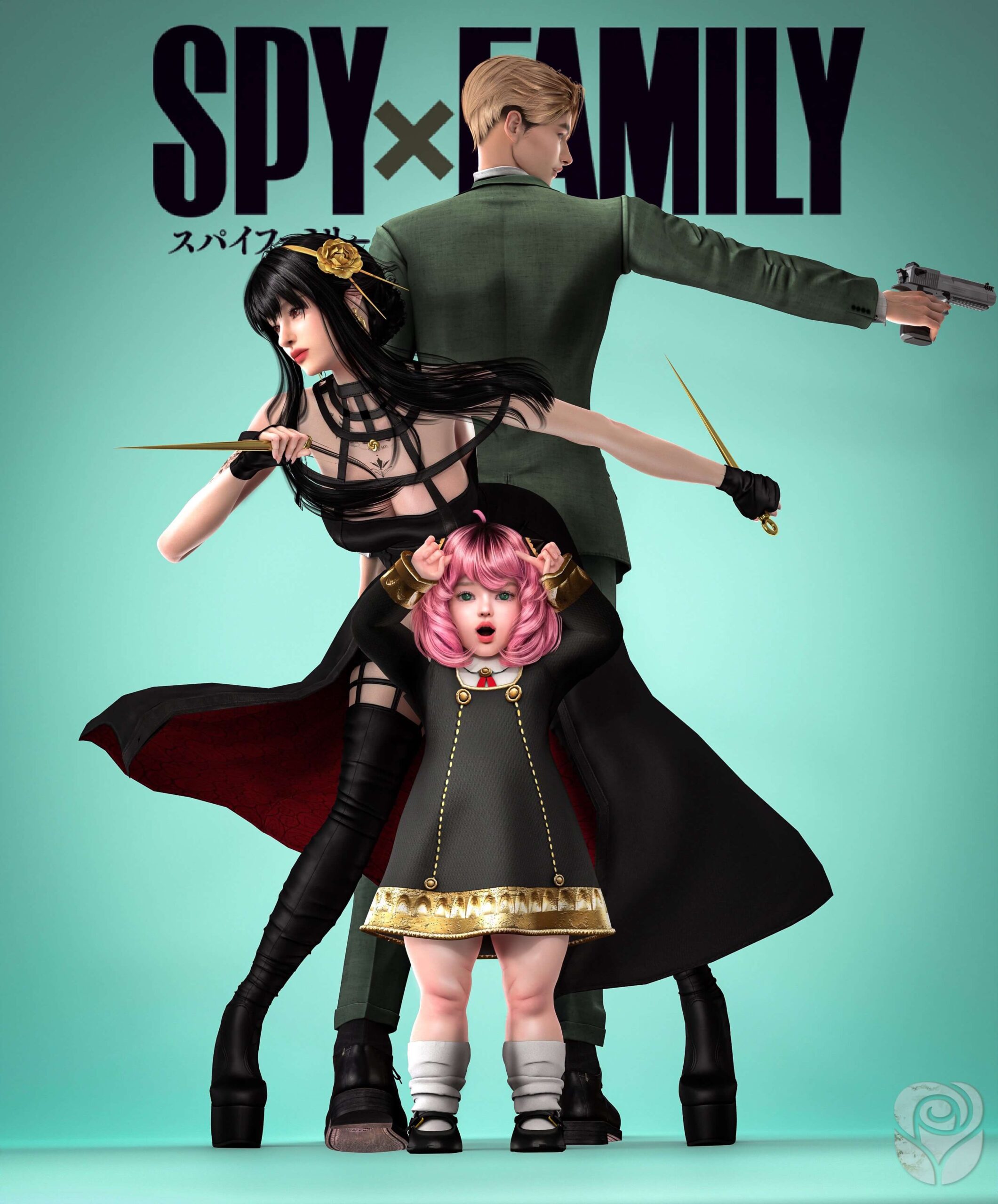
The pack contains 4 distinct group poses that place parents and children into expressive, believable arrangements:
- The Protective Stance: Parents flank their child with subtly alert postures while the child smiles cheerfully in the center, perfectly capturing the protective instincts of secret agent parents.
- Cozy Living Room Gathering: A relaxed seated arrangement suitable for sofas, rugs, or outdoor benches where family members lean into one another with genuine warmth.
- Playful Family Banter: Captures dynamic mid-conversation energy with animated hand gestures, affectionate head tilts, and shared amusement.
- Formal Portrait Composition: A clean, structured pose ideal for framing and hanging above fireplaces or hallway tables in legacy family homes.
- Affectionate Hug Alignment: Features tender arm placement where parental figures embrace their child with realistic shoulder and wrist contact.
- Casual Storytelling Setup: Staggered character stances that suggest a family pausing during a weekend stroll or listening to exciting school news.
Each composition balances character spacing carefully. Rather than feeling rigid or uncomfortably stiff, the character models interact naturally with realistic contact points between hands, shoulders, and arms.
Tool Requirements and Setup Instructions
Because these are in-game poses rather than CAS animation overrides, they require two widely used community utility mods to function properly:
First, you will need the Andrew's Pose Player mod, which provides the menu interface to select and trigger specific pose animations. Second, you will need the Teleport Any Sim statue by Scumbumbo, which allows you to position Sims precisely on lot tiles before initiating poses.
To set up a three-person family pose, follow these steps:
- Enter Buy Mode on your active lot and search for the Teleport Any Sim statue.
- Place exactly three statues directly on top of each other on the exact same floor tile where you want the pose to occur.
- Return to Live Mode, pause the game, click each statue, and summon the specific family members you want to pose.
- Click each summoned Sim, choose Pose by Pack from the Pose Player pie menu, and select the corresponding character slot from Roselipa's Spy Family Pose pack.
- Unpause the game for half a second to allow the animations to snap into place, then press the Tab key to enter cinematic camera mode.
Paired with charming everyday sets like the Dusty Sunset Set, these poses produce heartwarming screenshots that look straight out of a professional photo shoot.
Framing Screenshots, Lighting, and Camera Techniques
To achieve the best photographic results with Roselipa's pose pack, pay close attention to your lot lighting and camera perspective. Avoid using harsh overhead ceiling lights that cast unflattering downward shadows across character eye sockets. Instead, place soft floor lamps or hidden debug lights slightly in front of the posing Sims to illuminate facial expressions naturally.
Lowering the camera angle to chest or eye level creates an intimate, personal perspective that draws viewers directly into the family scene. Experimenting with depth-of-field filters or reshade presets can further soften background furniture, making your Sims the unquestioned focal point of the composition.
Taking multiple shots while adjusting the camera focal length in free-camera mode allows you to capture both wide family establishing shots and emotional close-up portraits of smiling faces.
Adjusting the field of view with the plus and minus keys on your keyboard alters background perspective dramatically, allowing you to isolate the family cleanly against scenic mountain backdrops or cozy interior wall art.
Custom Photography In-Game
Once you capture your scene, you can also have an active Sim photograph the group using the in-game photography skill. This produces physical photo objects that your Sims can frame, customize, and hang on the walls of their family home, building tangible generational history.
Performance and Save File Safety
Pose packs contain purely animation keyframes and do not modify underlying game code, object tuning, or gameplay progression files. As a result, Roselipa's pack carries zero risk of save corruption or script conflicts after game patches.
Once you are finished taking screenshots, simply click on each posing Sim and select the Stop Posing interaction to return them immediately to normal autonomous gameplay.
Final Thoughts on Spy Family Pose Pack
The Spy Family Pose pack by Roselipa is a heartwarming, beautifully balanced animation collection that makes capturing family memories in The Sims 4 an absolute pleasure. With 4 expressive group poses, authentic physical contact, and easy integration with standard pose player tools, it offers immense value for storytellers and screenshot creators alike. If you want to celebrate your Sims' family bonds with cinematic charm, this pack is an essential addition to your Mods folder.