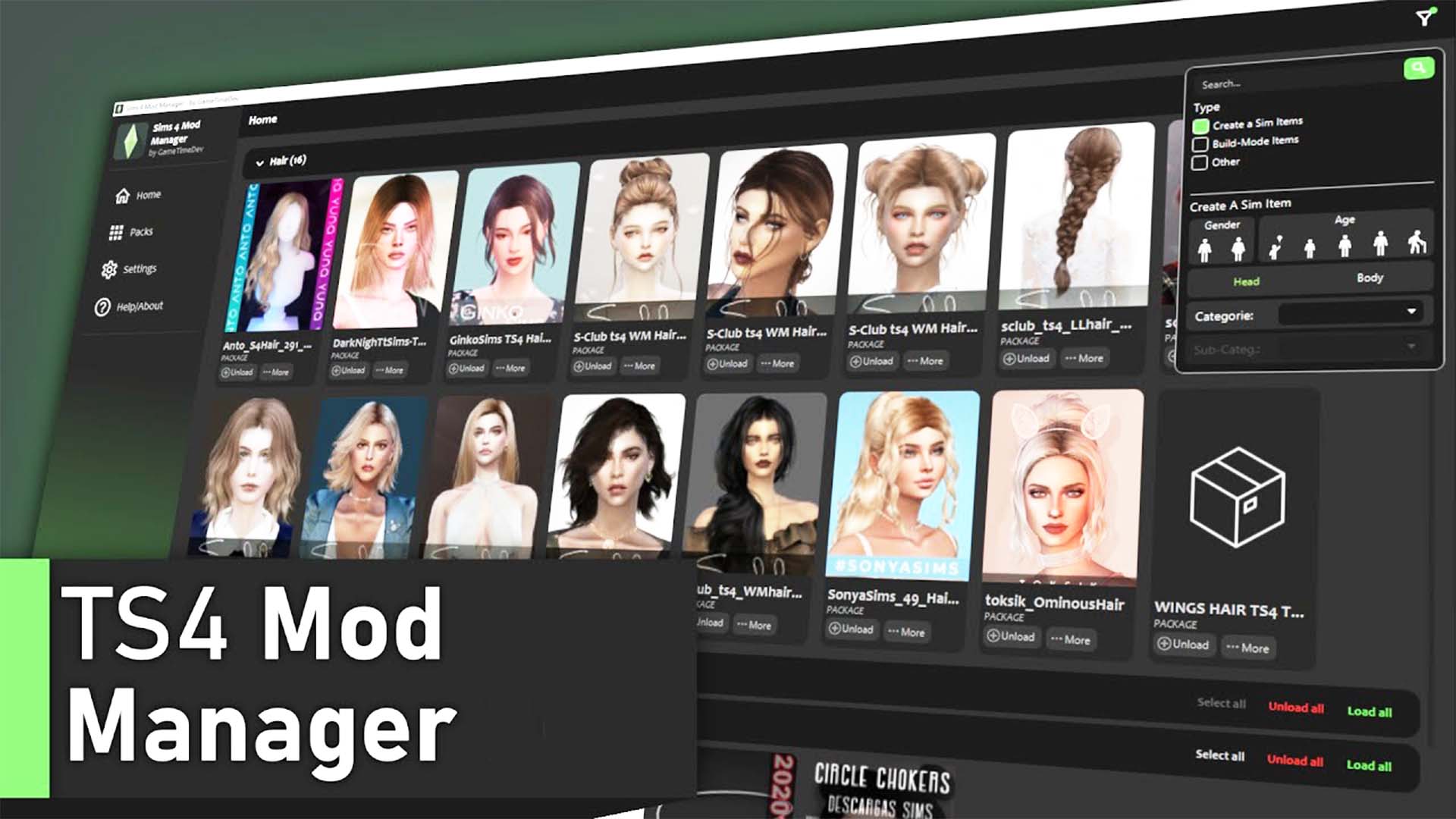
Directory categorization, duplicate scanning algorithms and toggle controls
Examining the software functionality and technical architecture behind scripthoge’s Ultimate Mod Manager reveals exceptional design:
- Structured Subfolder Navigation: Browses, creates, and sorts nested folders while respecting game engine pathing depth limits.
- Duplicate Hash Scanner: Identifies identical package files possessing different filenames to reclaim valuable drive space.
- Instant Mod Activation Toggles: Disables problem packages by altering file extensions (.disabled) without moving files.
- Bulk File Operations: Allows batch moving, tagging, and categorizing of hundreds of downloaded packages simultaneously.
- Zero CPU Performance Overhead: Runs externally on your desktop and shuts down completely before launching the game.
- Clean Windows Integration: Lightweight portable executable requiring no complicated database setups or registry edits.
The time savings and organizational clarity this utility brings to your modding workflow are monumental. Instead of squinting through thousands of cryptically named package files in Windows Explorer, you can sort entire download batches into neat folders with intuitive drag-and-drop actions.
Patch days become remarkably stress-free. When an official game update arrives, you can temporarily disable your entire Gameplay Scripts subfolder with one toggle click, verify that CAS and Build/Buy items work smoothly, and re-enable scripts as updated versions become available.
Finding that one glitchy hairstyle or broken piece of furniture is vastly simplified: the manager’s search filters let you locate specific creator tags and file names in seconds rather than hunting through crowded folders manually.
The duplicate scanner is a godsend for simmers who download large creator sets from Patreon, catching duplicate files that would otherwise waste memory.
By keeping your mods folder pristine and structured, this program ensures faster loading times and rock-solid game stability.
Organized chronicles and streamlined mod collections across all worlds
scripthoge’s Ultimate Mod Manager brings tranquility and efficiency to mod setups across every Sims 4 world:
In heavy save files featuring expansive custom worlds, complex lighting overhauls, and hundreds of custom clothing items, maintaining an organized directory structure is the secret to buttery-smooth performance. Pairing this essential file manager with core developer libraries like Sims 4 Community Library Review ensures that foundational script engines and complex modding APIs remain properly categorized in designated top-level folders for effortless patch updates.
Willow Creek generational saves running extensive family gameplay mods stay organized with dedicated Gameplay and Traits directories.
In San Myshuno, urban builders managing vast collections of industrial loft furniture can quickly toggle decor sets on or off between building sessions.
Oasis Springs desert saves benefit from cleanly separated architectural CC folders that keep mid-century modern furniture sets organized.
Windenburg historical saves running extensive period clothing packages can be neatly isolated into designated historical folders.
Sulani island beach saves stay lean and fast by keeping tropical clothing packages grouped separately from winter wear.
Legacy challenge players find the manager invaluable for creating clean backup profiles before embarking on ambitious multi-generational challenges.
In Britechester, campus saves with heavy university clothing collections maintain fast load times thanks to proactive duplicate removal.
Custom content reviewers and YouTube creators rely on the tool daily to swap test folders in seconds during video production.
The structured file management ensures that your entire game runs cleanly, smoothly, and with maximum stability.
Desktop software stability, safe file handling and routine upkeep
scripthoge programmed the Ultimate Mod Manager with exceptional software hygiene, ensuring that it operates strictly on file system levels without touching internal game saves or modifying base game binaries.
The program reads package headers non-destructively, ensuring that mod package assets are never corrupted during scanning.
Folder hierarchies established within the manager mirror directly in your native Windows directory for complete transparency.
The tool requires no continuous background processes, consuming zero system memory or CPU cycles while you play The Sims 4.
Recommended setup procedures for the Ultimate Mod Manager
Download the application archive using the direct ModTheSims link below. Extract the executable to a convenient desktop directory, launch the program, and point the directory setting to your primary Documents/Electronic Arts/The Sims 4/Mods folder to begin organizing your collection.
Installing The Sims 4 Ultimate Mod Manager
Download the official release via the direct link provided below. Extract the files directly to your preferred software folder, such as C:/Program Files/UltimateModManager.
Launch the application, allow it to index your active Mods directory, and start enjoying the speed and clarity of structured subfolders and instant mod toggles.
Final Thoughts on The Sims 4 Ultimate Mod Manager
The Sims 4 Ultimate Mod Manager by scripthoge is an absolute lifesaver for anyone whose custom content collection has outgrown a simple single-folder setup. By combining robust subfolder support, duplicate scanning, and instant toggle controls into an intuitive desktop interface, it restores sanity and order to your modding hobby. If you want a cleaner, faster, and more manageable game, this utility is an indispensable tool.